
Eason Studio Nexus AI 1.0.0 | Portable
Nexus AI is a powerful and modern desktop intelligent assistant that integrates conversational interaction, file management, and creative generation to provide you with a flexible and efficient AI tool experience.
Features
💬 Intelligent Multi-Session Conversation System
• Parallel Conversation Processing: Open multiple independent chat sessions simultaneously, each with dedicated contextual memory—ensuring work, study, and creative tasks never interfere with each other.
• Local Data Security: All conversation records are stored entirely on your local device, guaranteeing privacy and data safety, with no risk of data loss.
🤖 Full-Platform Model Support
• Integration of Leading Models: Seamlessly supports cutting-edge AI models such as Gemini, OpenAI, Claude, Qwen, and more—switch flexibly based on your needs.
• Local Deployment: Fully compatible with local model deployment solutions like Ollama and LM Studio, and allows custom local API connections via the Custom platform.
• Intelligent Model Recommendation: Automatically identifies Gemini 3 subscribers and intelligently recommends optimal advanced model configurations.
🗂️ Smart File Management Center
• Intuitive File Management: Features a folder tree browsing interface, supporting drag-and-drop file or entire folder uploads.
• AI-Powered Organization: Use natural language commands to have the AI assistant automatically categorize and organize your file system.
🎨 Creative Visual Workspace
• Multi-Model Image Generation: Supports advanced image generation models like Gemini 2.5 Flash Image Preview and Nano Banana.
• AI Visual Editing: Integrates intelligent image recognition and analysis functions, providing AI-driven image editing and optimization tools.
🎨 Personalized Interface Customization
• Deep Visual Customization: Freely adjust interface colors, layouts, and interaction styles by writing CSS code—creating a personalized workspace that perfectly matches your aesthetic preferences.
💡 Application Scenarios
• Research and Learning: Handle multiple topics simultaneously with separate sessions, with all materials saved locally.
• Creative Work: Seamlessly combine text creation and image generation to bring ideas to life instantly.
• File Management: Intelligently organize cluttered documents to improve work efficiency.
• Developer-Friendly: Supports local models and interface customization to meet technical requirements.
• Parallel Conversation Processing: Open multiple independent chat sessions simultaneously, each with dedicated contextual memory—ensuring work, study, and creative tasks never interfere with each other.
• Local Data Security: All conversation records are stored entirely on your local device, guaranteeing privacy and data safety, with no risk of data loss.
🤖 Full-Platform Model Support
• Integration of Leading Models: Seamlessly supports cutting-edge AI models such as Gemini, OpenAI, Claude, Qwen, and more—switch flexibly based on your needs.
• Local Deployment: Fully compatible with local model deployment solutions like Ollama and LM Studio, and allows custom local API connections via the Custom platform.
• Intelligent Model Recommendation: Automatically identifies Gemini 3 subscribers and intelligently recommends optimal advanced model configurations.
🗂️ Smart File Management Center
• Intuitive File Management: Features a folder tree browsing interface, supporting drag-and-drop file or entire folder uploads.
• AI-Powered Organization: Use natural language commands to have the AI assistant automatically categorize and organize your file system.
🎨 Creative Visual Workspace
• Multi-Model Image Generation: Supports advanced image generation models like Gemini 2.5 Flash Image Preview and Nano Banana.
• AI Visual Editing: Integrates intelligent image recognition and analysis functions, providing AI-driven image editing and optimization tools.
🎨 Personalized Interface Customization
• Deep Visual Customization: Freely adjust interface colors, layouts, and interaction styles by writing CSS code—creating a personalized workspace that perfectly matches your aesthetic preferences.
💡 Application Scenarios
• Research and Learning: Handle multiple topics simultaneously with separate sessions, with all materials saved locally.
• Creative Work: Seamlessly combine text creation and image generation to bring ideas to life instantly.
• File Management: Intelligently organize cluttered documents to improve work efficiency.
• Developer-Friendly: Supports local models and interface customization to meet technical requirements.
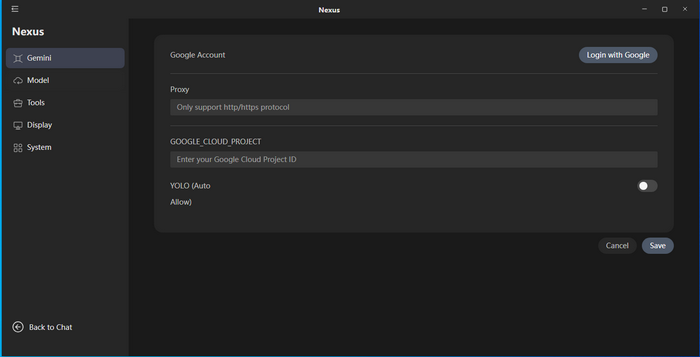
Screenshots
Homepage
OS: Windows 10 | 11 (x86-x64)
Language: ENG
Medicine: Activated
Size: 224,20 | 167,60 MB.
Download From HomepageInstaller
Login or register to see spoiler's content
Login or register to see spoiler's content


No comments